

15
 Factory Balls 4 icon

Factory Balls 4

ジャンル:
評価:
Rating Star4.4 / 5(4,726 投票)
更新しました:
Apr 09, 2026
リリース:
Dec 13, 2012
プラットフォーム:
Browser

指示

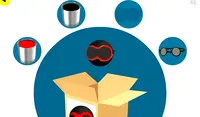
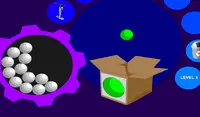
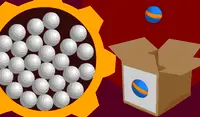
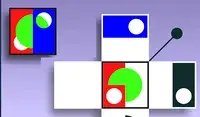
Each level contains a box that shows what the ball should look like. Your goal is to paint the ball to match that picture.

Click on a white ball from the batch and drag it over the different accessories in the smaller circles to put them on the ball. If you drag the ball into a paint bucket, it will get painted.

Use accessories such as belts and hats to create the design shown on the box. When you are finished using an accessory, drag the ball back to where the accessory was to remove it. You can layer accessories on top of each other as the designs get more complex!

If you mess up, you can drag your ball to the recycling bin at the bottom of the screen to put it back in the batch and grab a new ball.

各レベルには、ボールがどのように見えるべきかを示すボックスがあります。あなたの目標は、その絵と同じようにボールを塗ることです。

一覧から白いボールをクリックし、小さな円の中にある様々なアクセサリーの上にドラッグして、ボールの上にアクセサリーを配置します。ボールをペイントバケツの中にドラッグすると、ペイントされます。

ベルトや帽子などのアクセサリーを使って、箱に描かれているデザインを作りましょう。アクセサリーを使い終わったら、ボールをアクセサリーがあった場所までドラッグして取り外します。デザインが複雑になるにつれて、アクセサリーを重ねて使うこともできます!

もし失敗したら、ボールを画面下部のリサイクルボックスにドラッグして、ボールを元のバッチに戻して新しいボールを取り出すことができます。
ゲームの進行状況

0 XP
ジャンル:
評価:
Rating Star4.4 / 5(4,726 投票)
更新しました:
Apr 09, 2026
リリース:
Dec 13, 2012
プラットフォーム:
Browser

指示

Each level contains a box that shows what the ball should look like. Your goal is to paint the ball to match that picture.

Click on a white ball from the batch and drag it over the different accessories in the smaller circles to put them on the ball. If you drag the ball into a paint bucket, it will get painted.

Use accessories such as belts and hats to create the design shown on the box. When you are finished using an accessory, drag the ball back to where the accessory was to remove it. You can layer accessories on top of each other as the designs get more complex!

If you mess up, you can drag your ball to the recycling bin at the bottom of the screen to put it back in the batch and grab a new ball.

各レベルには、ボールがどのように見えるべきかを示すボックスがあります。あなたの目標は、その絵と同じようにボールを塗ることです。

一覧から白いボールをクリックし、小さな円の中にある様々なアクセサリーの上にドラッグして、ボールの上にアクセサリーを配置します。ボールをペイントバケツの中にドラッグすると、ペイントされます。

ベルトや帽子などのアクセサリーを使って、箱に描かれているデザインを作りましょう。アクセサリーを使い終わったら、ボールをアクセサリーがあった場所までドラッグして取り外します。デザインが複雑になるにつれて、アクセサリーを重ねて使うこともできます!

もし失敗したら、ボールを画面下部のリサイクルボックスにドラッグして、ボールを元のバッチに戻して新しいボールを取り出すことができます。
4.4 Rating Star
4,726
投票